Best Laptop Service Center in Qatar & Doha – Expert Repair for All Brands
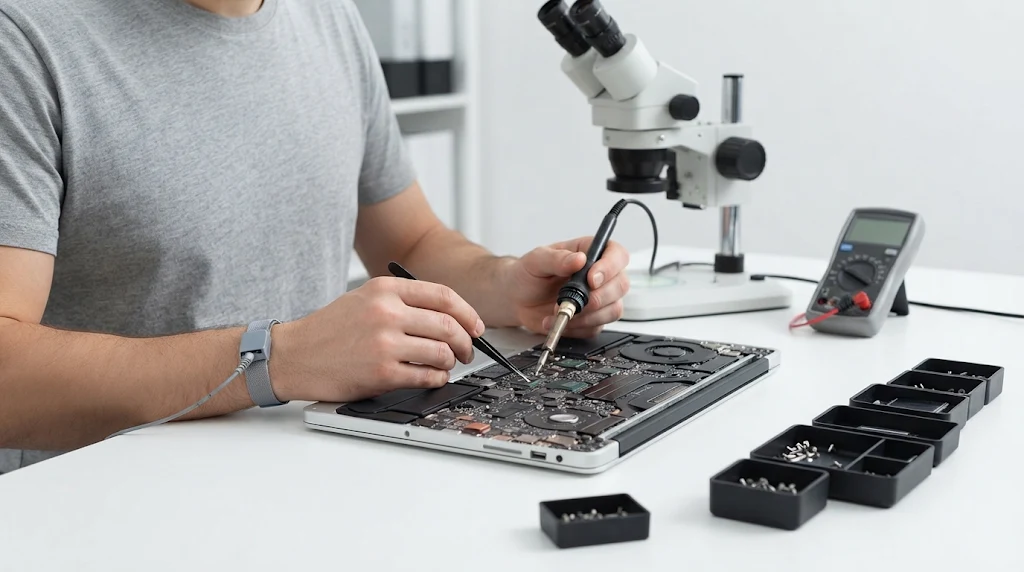
Laptop service center in Qatar and Doha repairing all major laptop brands

Premier Laptop Service Center in Qatar – Fast & Reliable Repairs in Doha Welcome to Bayt Al Tech, your trusted laptop service center in Qatar. Whether you are dealing with a cracked screen, a dead battery, liquid damage, or sudden motherboard failure, our certified technicians provide fast, transparent, and warranty-backed laptop repair in Doha and across Qatar. We service all major laptop brands using genuine replacement parts and advanced diagnostic equipment—getting your personal or business device back to peak performance with minimal downtime. Brands We Service at Our Laptop Service Center in Doha No matter the make or model, our specialists have the tools and expertise to handle hardware and software issues across all leading brands: Apple MacBook: MacBook Air & MacBook Pro (M1, M2, M3, M4, and Intel models) Dell: XPS, Inspiron, Latitude, Vostro, and Alienware gaming laptops HP: Spectre, Envy, Pavilion, EliteBook, ProBook, and Omen Lenovo: ThinkPad, IdeaPad, Yoga, Legion, and ThinkBook Asus: ZenBook, VivoBook, ROG (Republic of Gamers), and TUF Gaming Acer: Swift, Aspire, Predator, and Nitro series MSI: Stealth, Raider, Katana, and Modern series Microsoft Surface: Surface Pro, Surface Laptop, and Surface Book Other Major Brands: Samsung, Huawei MateBook, Toshiba, Razer, and Sony VAIO Comprehensive Laptop Repair Services in Qatar As a full-service laptop service center Qatar residents and businesses rely on, we fix everything from minor glitches to complex component-level faults: Laptop Screen Replacement: Cracked, flickering, dim, or dead-pixel displays replaced with original-grade LCD, LED, OLED, and Retina panels. Battery & Charging Port Repair: Quick replacements for swollen or fast-draining batteries, faulty DC power jacks, and USB-C charging ports. Keyboard & Trackpad Replacement: Repairing unresponsive keys, stuck buttons, broken hinges, and faulty touchpads. Motherboard & Chip-Level Repair: Advanced micro-soldering, IC replacement, power circuit diagnostics, and GPU/CPU reballing. Liquid & Water Damage Restoration: Ultrasonic cleaning and corrosion removal for laptops exposed to coffee, water, or humidity. Overheating & Fan Cleaning: Internal dust removal, thermal paste reapplication, and cooling fan replacement to stop thermal throttling and shutdowns. SSD Upgrades & Data Recovery: Speed up slow laptops with NVMe SSD and RAM upgrades, plus safe data recovery from failing hard drives. OS Installation & Virus Removal: Windows 10/11 and macOS installation, driver troubleshooting, malware removal, and system optimization. Why Choose Bayt Al Tech for Laptop Repair in Qatar? Diagnostics & Transparent Quotes: We inspect your laptop, explain the exact issue, and provide an upfront cost estimate before starting any work. Same-Day Express Service: Common repairs like battery swaps, screen replacements, and SSD upgrades are often completed the same day. Genuine Parts & Service Warranty: Every repair is backed by quality-tested components and a service warranty for complete peace of mind. Experienced Technicians: Years of hands-on experience handling both everyday ultrabooks and high-end gaming/workstation laptops. Convenient Doha Location & Pickup: Visit our workshop in Doha, or schedule a pickup and delivery service anywhere in Qatar. Areas We Serve Across Qatar While our main workshop is conveniently located in Doha, our laptop repair Qatar pickup and support services cover: Doha,  Al Rayyan, Lusail, The Pearl-Qatar, Al Wakrah, Al Khor, Al Sadd, Bin Mahmoud, Al Dafna, West Bay, Al Gharafa, Madinat Khalifa, Al Kheesa, Legtafiya,  Wukair, Duhail, Ain Khaled, Abu Hamour, Al Thumama, Umm Salal, and surrounding areas. Frequently Asked Questions (FAQ) 1.Which laptop brands do you repair at your service center in Qatar? We repair all major laptop brands, including Apple MacBook, Dell, HP, Lenovo, Asus, Acer, MSI, Microsoft Surface, Samsung, Huawei, Razer, and Toshiba—covering both personal ultrabooks and high-end gaming or business laptops. 2. How long does a typical laptop repair take? Software fixes, RAM/SSD upgrades, and battery replacements are usually completed within a few hours. Screen replacements and complex motherboard repairs typically take 1 to 3 business days depending on parts availability. 3. Will I lose my data during the repair? For hardware repairs such as screens, batteries, keyboards, and charging ports, your data remains completely untouched. However, we always recommend backing up important files beforehand, or our team can back them up for you prior to service. 4. Do you offer warranty on laptop repairs? Yes, all hardware replacements and chip-level repairs come with a service warranty covering both parts and workmanship.   Book Your Laptop Repair in Doha Today Don’t let a broken laptop slow down your work or studies. Visit Bayt Al Tech—the leading laptop service center in Doha, Qatar—or reach out to our support team for a quick quote. Get in Touch: Contact Us | View All Services Please enable JavaScript in your browser to complete this form.Please enable JavaScript in your browser to complete this form.Name *Contact No *Device Brand & Model *Tell us more if you'd like * Submit
Apple Screen Replacement & Repair in Qatar – iPhone, iPad, MacBook, Apple Watch & iMac

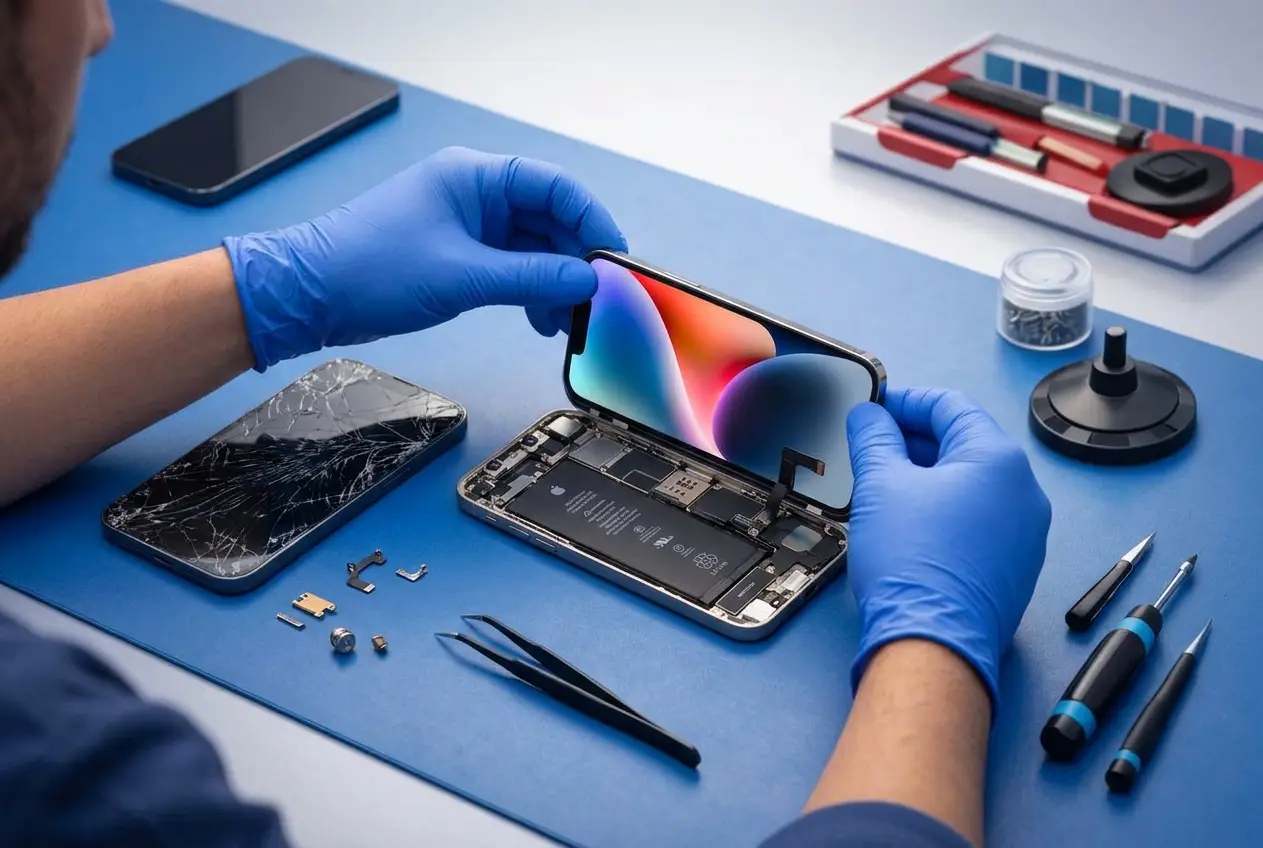
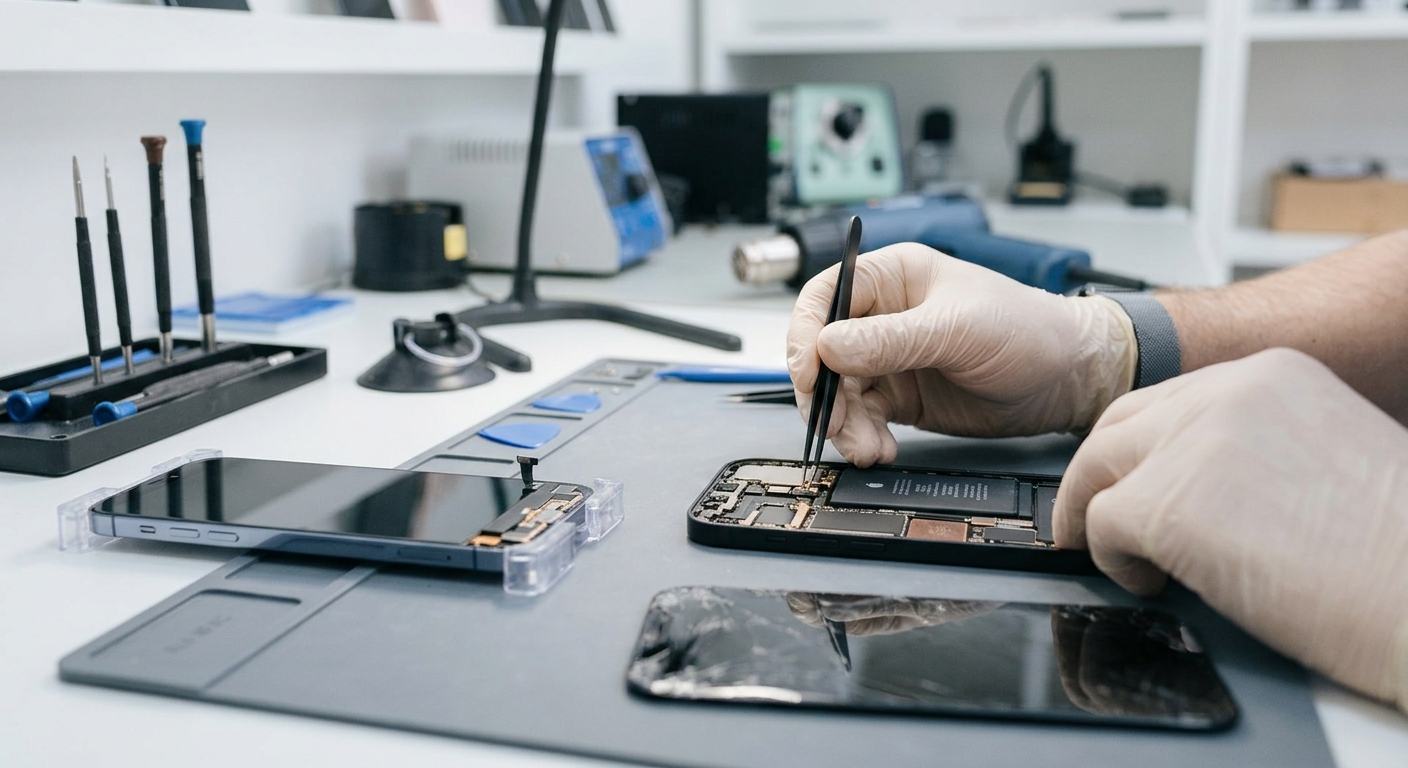
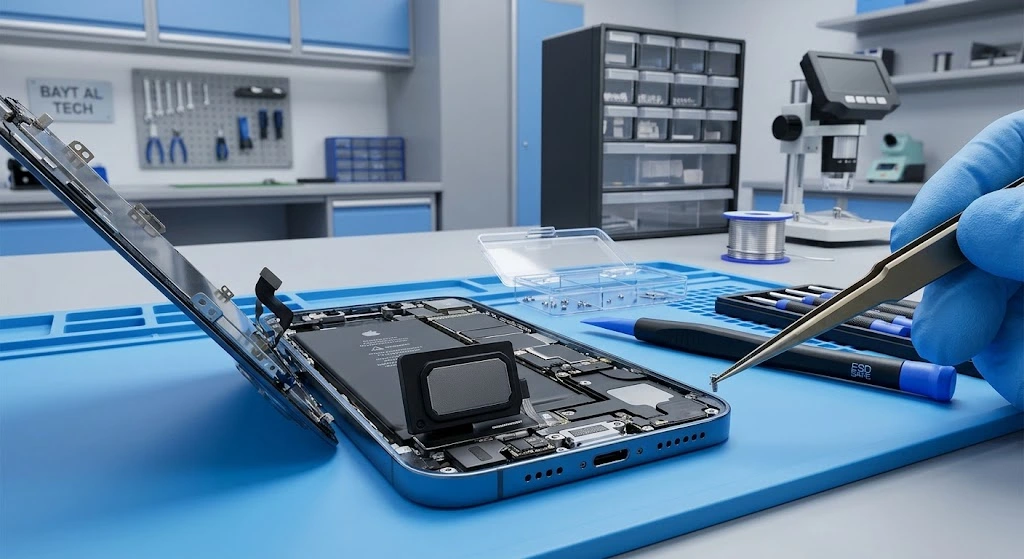
Close-up of technician hands replacing a cracked screen on an open iPhone using precision tools on a clean repair mat

Apple Screen Replacement & Repair in Qatar Bayt Al Tech A cracked, damaged or malfunctioning screen can make your Apple device difficult to use. Whether you have a broken iPhone display, a damaged iPad screen, a MacBook with display lines, an Apple Watch with a cracked glass screen or an iMac with display problems, choosing the right repair service is important. Bayt Al Tech provides Apple screen repair and replacement services in Qatar for a range of Apple devices, including iPhone, iPad, Apple Watch, MacBook and iMac. We understand how important your Apple device is for your everyday activities, work and communication. Our aim is to identify the screen problem, explain the available replacement options and provide a suitable repair solution. If you are searching for Apple screen replacement in Qatar, contact Bayt Al Tech for assistance. Apple Devices We Repair Bayt Al Tech provides screen repair and replacement solutions for different Apple products. Apple Device Screen Repair Services iPhone Cracked glass, broken display, touch problems, lines and black screen iPad Broken glass, LCD damage, touch issues and display problems Apple Watch Cracked glass, damaged display and screen malfunction MacBook Broken LCD, display lines, flickering and black screen iMac Display damage, screen replacement and display malfunction The correct repair method depends on the model, screen technology and extent of the damage. iPhone Screen Replacement in Qatar “Need a professional iPhone screen replacement in Qatar? Bayt Al Tech offers screen replacement solutions for different iPhone models, with multiple replacement options depending on availability.” The iPhone screen is one of the most frequently damaged components of an Apple device. Accidental drops, pressure, impacts and other physical damage can cause cracks, display problems or touch malfunction. If your iPhone screen is cracked, showing lines, flickering or not responding to touch, professional diagnosis can help determine whether the glass, display assembly or another component needs attention. Common iPhone Screen Problems Screen Problem Possible Cause Recommended Action Cracked front glass Accidental drop or impact Screen assessment and replacement Black screen Display or internal hardware issue Display and device diagnosis Green or white lines OLED or display damage Screen inspection and replacement if required Touch not working Digitizer or display damage Touch and display diagnosis Flickering display Display damage or connection issue Hardware inspection Screen showing spots Pressure or internal LCD/OLED damage Display replacement assessment Screen lifting Battery swelling or adhesive failure Immediate inspection, especially if battery swelling is suspected iPhone Models Supported Bayt Al Tech can assess screen replacement requirements for a range of iPhone generations, subject to parts availability. iPhone Series Models iPhone 17 Series iPhone 17, 17 Pro, 17 Pro Max and 17 Air iPhone 16 Series iPhone 16, 16 Plus, 16 Pro and 16 Pro Max iPhone 15 Series iPhone 15, 15 Plus, 15 Pro and 15 Pro Max iPhone 14 Series iPhone 14, 14 Plus, 14 Pro and 14 Pro Max iPhone 13 Series iPhone 13, 13 mini, 13 Pro and 13 Pro Max iPhone 12 Series iPhone 12, 12 mini, 12 Pro and 12 Pro Max Older Models Selected iPhone 11, X, XR, XS and other supported models iPhone Screen Replacement Options Depending on the model and availability, different screen replacement options may be available. Screen Option Description Suitable For Genuine Apple screen Genuine Apple replacement display, where available Customers seeking a genuine replacement Original refurbished screen Original display assembly refurbished for reuse Customers seeking an original display at a different price point Premium quality screen High-quality aftermarket replacement Customers looking for a more affordable option Standard quality screen Economical replacement option Customers with a limited repair budget The available options vary by iPhone model. Screen specifications, brightness, colour reproduction, refresh rate and other features may differ between replacement types. Before proceeding, ask about the exact screen type, warranty and features included with the replacement. iPad Screen Replacement in Qatar “If you are looking for reliable iPad screen replacement in Qatar, Bayt Al Tech can help with cracked glass, damaged LCDs and touchscreen problems.” An iPad is commonly used for studying, business, entertainment, drawing and everyday communication. A damaged iPad screen can affect both its appearance and functionality. Some iPad models have separate front glass and LCD components, while others use a laminated display assembly. This means the repair method can vary depending on the model and the type of damage. Common iPad Screen Problems Cracked or shattered front glass LCD displaying black spots or coloured lines Touchscreen not responding Display flickering Screen showing distorted colours Black screen despite the iPad powering on Display damage after accidental drops iPad Models We Can Assess iPad Category Models Standard iPad Different generations of iPad iPad mini iPad mini series iPad Air iPad Air series iPad Pro 11-inch and 12.9-inch iPad Pro models, including supported generations iPad Glass Replacement vs Full Display Replacement Repair Type What Is Replaced? When It May Be Suitable Front glass replacement Outer glass layer Certain models where the LCD and touch functions remain intact LCD replacement Display panel When the LCD is damaged Full display assembly Combined display components When the model design or damage requires a complete assembly Not every iPad supports a separate glass replacement. The device must be inspected before confirming the repair method. Apple Watch Screen Replacement in Qatar “Looking for Apple Watch screen replacement in Qatar? We can assess supported Apple Watch models and explain the available screen repair options. “ The Apple Watch is designed for everyday use, making it vulnerable to accidental impacts and scratches. A damaged screen can affect touch sensitivity, visibility and normal operation. If your Apple Watch has cracked glass, display lines or an unresponsive touchscreen, it should be inspected to identify the extent of the damage. Common Apple Watch Screen Problems Cracked or shattered display glass Black or blank screen Touchscreen not responding Display showing lines or unusual colours Flickering screen Screen damage after impact Apple Watch Models Apple Watch Category Models Apple Watch Series Supported Series models, subject to parts availability Apple Watch SE Supported … Read more

iPhone Speaker and Microphone Repair in Qatar: Common Problems and Solutions

iPhone Speaker Not Working? Expert Speaker and Microphone Repair in Qatar Is your iPhone speaker producing low sound? Can people barely hear you during phone calls? Is your microphone recording muffled audio, or has your iPhone loudspeaker stopped working completely? These problems can interrupt your daily calls, business meetings, video recordings, and entertainment. While some iPhone audio issues can be resolved with simple troubleshooting, others require professional inspection and repair. At Bayt Al Tech, we provide iPhone repair services in Qatar, including earpiece and loudspeaker repairs. Our team helps customers identify audio problems and determine the appropriate repair solution for their device. If you are experiencing an iPhone speaker or microphone problem, this guide explains the common causes, practical fixes, and when to seek professional repair. Common iPhone Speaker Problems 1. iPhone Speaker Not Working If your iPhone plays no sound during videos, music playback, or speakerphone calls, several factors could be responsible. Common causes include: Audio being routed to a Bluetooth device. Dirt or debris obstructing the speaker openings. Temporary iOS or app-related problems. Physical damage to the speaker component. Internal hardware faults. How to troubleshoot it: Increase the volume while playing audio. Disconnect Bluetooth headphones and accessories. Remove your phone case and test the sound. Restart your iPhone and try different audio sources. Check the speaker openings for visible obstructions. If the speaker remains silent after these checks, professional diagnosis may be needed. 2. iPhone Speaker Sound Is Low or Muffled Low or muffled sound can make calls and videos difficult to hear, even when the volume is at maximum. Dust buildup, blocked speaker openings, incorrect audio settings, or damaged hardware may cause this problem. Clean the exterior speaker openings gently with a clean, dry, soft-bristled brush. Avoid sharp objects, liquids, and compressed air. If the sound remains weak, a technician can inspect the speaker and determine whether cleaning, repair, or replacement is appropriate. 3. iPhone Earpiece Not Working During Calls The earpiece is the small speaker near the top of your iPhone that lets you hear the person on the other end during a regular phone call. If you cannot hear callers through the earpiece but can hear them using speakerphone, possible causes include an obstructed receiver, audio settings, software problems, or a hardware fault. Try increasing the call volume, removing accessories, and restarting the phone. If the issue continues, Bayt Al Tech can help you investigate your iPhone earpiece problem and identify the appropriate repair. 4. iPhone Speaker Making Crackling or Distorted Sounds Crackling, buzzing, or distorted audio may indicate debris, an audio source problem, liquid exposure, or a damaged speaker. Test several apps and reduce the volume to see whether the distortion changes. If your iPhone has recently been exposed to liquid, avoid charging it while wet and seek professional advice. Persistent distortion should be checked by a technician before replacing any components. Common iPhone Microphone Problems 1. People Cannot Hear You During iPhone Calls If callers cannot hear your voice clearly, the problem may involve an obstructed microphone, Bluetooth audio routing, app or software issues, or damaged hardware. Try disconnecting Bluetooth devices, removing accessories that may cover the microphones, and restarting the iPhone. You can also make a test recording using Voice Memos and compare the results with a video recording. Different iPhone functions may use different microphones, so testing more than one function can help narrow down the problem. If your voice remains unclear across multiple tests, professional inspection may be necessary. 2. iPhone Microphone Not Working in WhatsApp or Other Apps Sometimes the microphone works during ordinary calls but fails in a particular app. Before arranging a repair: Check microphone permissions in Settings. Confirm that the app is up to date. Restart the app and your iPhone. Test the microphone in another application. If the microphone works elsewhere, the problem may be related to the affected app rather than a hardware failure. 3. iPhone Microphone Recording Muffled Audio If voice recordings sound distant, quiet, or unclear, inspect the microphone openings for visible obstruction and remove any accessories that could interfere with them. Test the microphone in a quiet environment and compare recordings made with different apps. If the issue persists, a technician can determine whether the fault is associated with a microphone component, internal connection, or another part of the device. Can Water Damage Cause iPhone Speaker or Microphone Problems? Yes. Liquid exposure can affect speaker output, microphone performance, and internal electronics. After liquid exposure: Disconnect cables and accessories. Wipe the exterior with a soft, lint-free cloth. Allow the device to dry in a well-ventilated area. Do not use rice, external heat, or compressed air. Avoid charging the device while it is wet. Do not assume that a speaker needs replacement simply because it sounds muffled after getting wet. The correct solution depends on the type and extent of the damage. If the device continues to malfunction, arrange a professional inspection. iPhone Speaker and Microphone Repair in Qatar When basic troubleshooting does not solve an audio problem, professional diagnosis can help prevent unnecessary repairs. At Bayt Al Tech, customers can enquire about iPhone earpiece and loudspeaker repair services in Qatar. Our repair service can help investigate problems such as: iPhone loudspeaker not working. Low or muffled speaker sound. Earpiece problems during phone calls. Distorted audio output. Microphone problems requiring hardware diagnosis. Audio faults following physical damage or liquid exposure. The repair procedure depends on the iPhone model and the underlying fault. Not every audio problem requires a component replacement, so the device should be tested before a repair is recommended. Why Contact Bayt Al Tech? Bayt Al Tech provides iPhone repair services in Doha and surrounding areas of Qatar. Customers can contact our team to enquire about: iPhone repair and maintenance. Earpiece and loudspeaker repair. Professional diagnosis of audio problems. Repair options and pricing for their particular iPhone model. Available doorstep service and collection options. We recommend contacting us with your iPhone model and a description of the problem so that … Read more

How much it costs for Macbook Screen Replacement ?

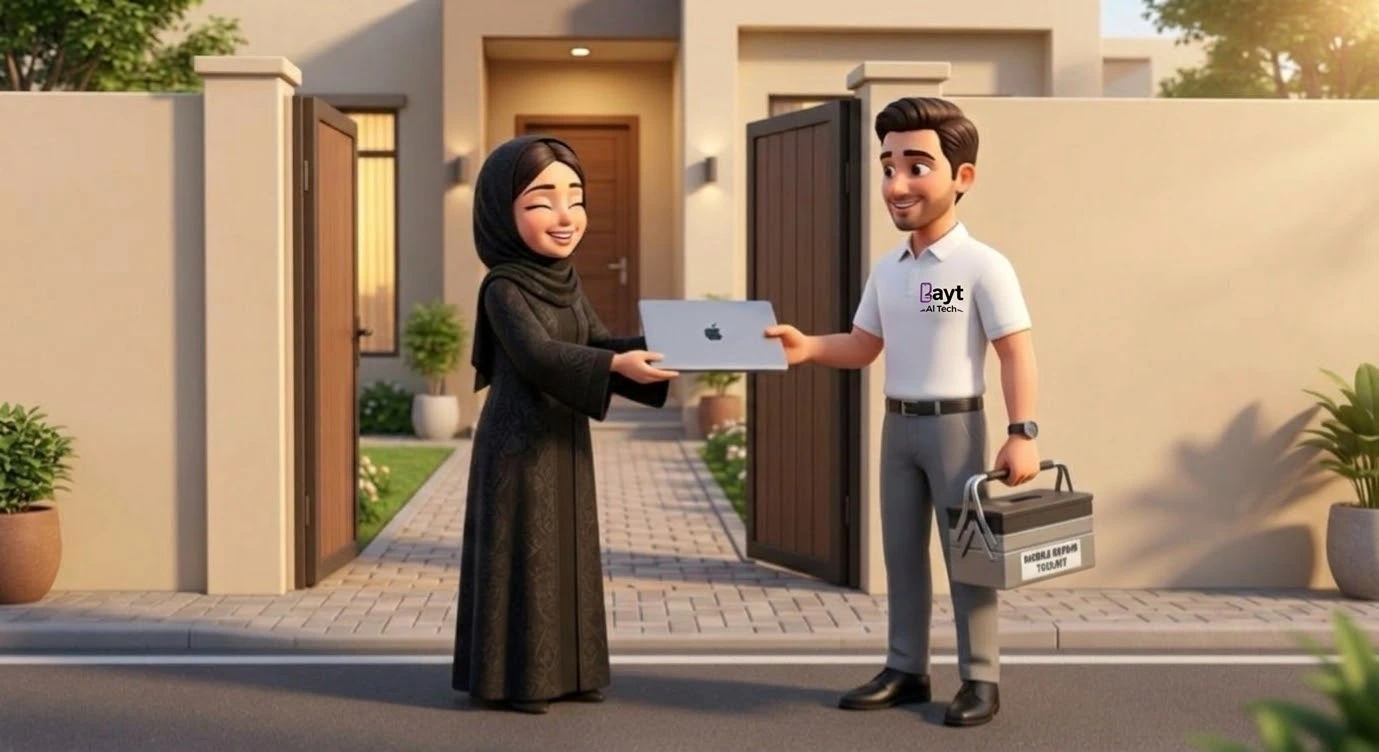
Customer receiving their device after professional MacBook screen replacement in Qatar at Bayt Al Tech service center.

How Much Does MacBook Screen Replacement Cost in Qatar? A Complete Repair Case Study A cracked MacBook screen can be stressful, especially when you depend on your laptop for work, business, or studies. If your MacBook has developed black spots, vertical lines, flickering, or a completely black display, you may be wondering: How much does MacBook screen replacement cost in Qatar? At Bayt Al Tech, we provide professional MacBook screen diagnostics and replacement services for compatible MacBook Air and MacBook Pro models. Our technicians assess the damage, check the display assembly, and explain the available repair options before proceeding. In this guide, we explore common MacBook screen problems through a case-study approach, explain their possible solutions, and discuss the factors that determine the cost of MacBook screen replacement in Qatar. MacBook Screen Replacement Cost in Qatar The cost of MacBook screen replacement depends on the model, screen size, display technology, replacement part, and extent of the damage. Newer MacBook Pro models with advanced Liquid Retina XDR displays can cost considerably more to repair than some older MacBook Air models. MacBook Model Main Cost Factors How to Get an Accurate Price Older MacBook Air Model year, Retina or non-Retina display, part availability Provide the model number MacBook Air M1 Display assembly type and compatible part Request a model-specific quotation MacBook Air M2 or M3 Display specifications and part availability Confirm the exact model Intel MacBook Pro Screen size, year, and display assembly Check the A-number or model information MacBook Pro M1 or M2 Display type, size, and replacement part Request a diagnostic assessment MacBook Pro 14-inch or 16-inch Liquid Retina XDR display and assembly cost Obtain a quotation for the exact model Newer MacBook Pro models Display technology, availability, and repair complexity Confirm current parts and pricing Important: This table is a model guide, not a fixed price list. Bayt Al Tech will need to confirm the exact model and current part availability before providing a repair quotation. Avoid relying on one price for every MacBook.   What determines the final repair cost? Factor Effect on Cost MacBook model and year Different generations use different display assemblies Screen size Larger or more advanced displays may cost more Display technology Retina and Liquid Retina XDR components have different costs Replacement part quality Available part options affect the quotation Frame or hinge damage Additional damage may require extra work or parts Liquid damage Internal cleaning or other component repairs may be necessary Part availability Special-order components can affect turnaround time MacBook Screen Damage: Symptoms, Diagnosis and Solutions Not every display problem has the same cause. A professional inspection helps determine whether the screen needs replacement or whether another component is responsible. Screen Problem Common Symptoms Possible Cause Recommended Solution Cracked screen Visible cracks or spiderweb patterns Drop, impact, or pressure Inspect and usually replace the damaged display assembly Black spots or ink-like patches Dark areas that spread across the screen Internal display panel damage Display assembly replacement may be required Vertical or horizontal lines Coloured or white lines across the display Panel damage, display connection, or logic board fault Diagnose the panel and connections before replacing parts Flickering screen Display flashes or brightness changes unexpectedly Panel fault, cable issue, software problem, or power issue Test the display and related components Completely black screen MacBook powers on but shows no image Display failure, connection fault, or logic board issue Test with appropriate diagnostics before deciding on a repair Dead pixels Small black or coloured dots Defective display pixels Assess severity and display condition; replacement may be necessary Dim screen Display is difficult to see even at high brightness Backlight or display fault, or settings issue Check brightness settings and hardware Uneven brightness One part of the screen looks darker Backlight or panel problem Diagnose the display assembly Ghosting or image retention Previous images appear faintly Display characteristics or panel fault Assess the display and determine whether replacement is appropriate Display coating damage Scratches, peeling, or cloudy patches on the surface Wear, cleaning damage, or coating deterioration Assess whether the damage is cosmetic or requires display replacement Liquid-related display problems Stains, flickering, lines, or intermittent image Moisture affecting the display or internal electronics Stop using the device if liquid exposure is suspected and arrange an inspection Screen works at certain angles Image cuts out when opening or closing the lid Possible display cable, hinge, or connection fault Inspect the cable, hinge, and display assembly Loose or stiff hinge Lid does not open smoothly or close evenly Hinge damage, misalignment, or impact Repair or adjust the hinge and check the display for related damage Note: These symptoms do not always mean the display itself is faulty. Bayt Al Tech can assess the cause before recommending a replacement. MacBook Screen Repair Case Study: Three Common Scenarios The following are illustrative repair scenarios based on common MacBook display faults. They are examples, not claims about specific customers or completed Bayt Al Tech jobs. Case Study A: MacBook Air with a Cracked Screen Item Case Details Device MacBook Air Reported problem Screen cracked after accidental pressure Symptoms Visible cracks and distorted display Possible diagnosis Physical damage to the display panel Recommended solution Replace the compatible display assembly Main cost factor Model, screen specifications, and part availability Expected outcome Clear display after successful replacement and testing Lesson: A cracked display usually cannot be restored by software troubleshooting. The technician should verify the model and inspect the display before ordering the replacement. Case Study B: MacBook Pro with Vertical Lines Item Case Details Device MacBook Pro Reported problem Coloured vertical lines appeared Symptoms Distorted image and reduced visibility Possible diagnosis Damaged display panel, connection, or logic board Recommended solution Diagnose the display and related hardware Main cost factor Whether the display assembly or another component is faulty Expected outcome Repair the confirmed fault and test the screen Lesson: Replacing the screen immediately without diagnosis can lead to unnecessary expense if the actual problem is elsewhere. Case Study C: MacBook with … Read more

Macbook Laptop Battery Replacement

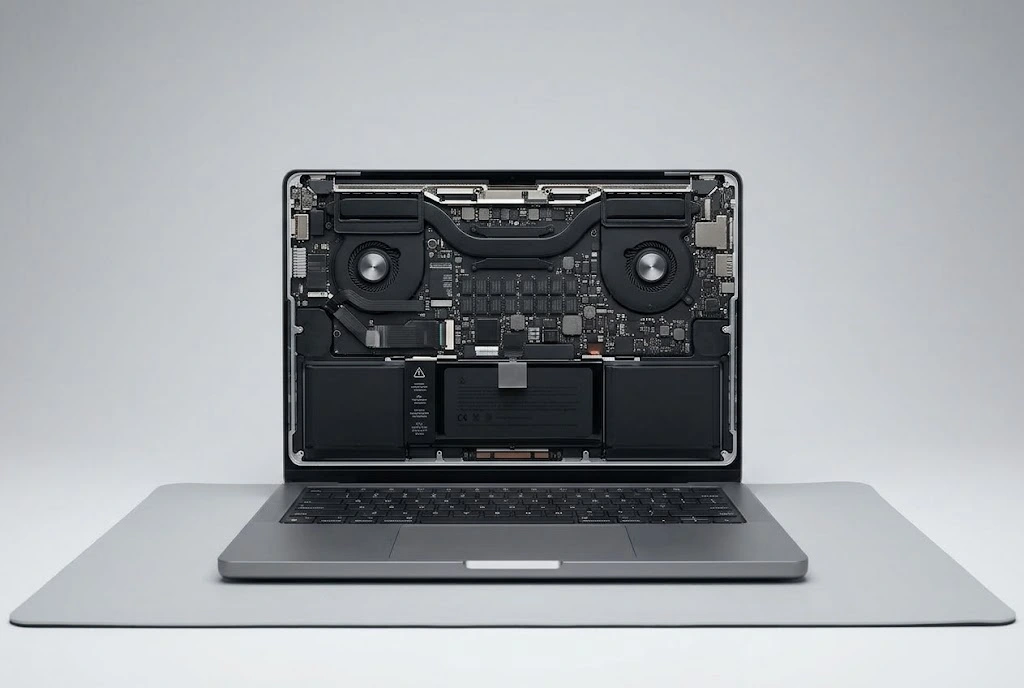
macbook-battery-replacement-qatar-internal-hardware-repair

Professional MacBook Battery Replacement in Qatar: Bring Your Mac Back to Life Is your MacBook dying too quickly, shutting down unexpectedly, or warning you that it’s time for service? A degraded battery can ruin your workflow, slow down your system, and leave you constantly tethered to a wall charger. At Bayt Al Tech, we specialize in professional, fast, and reliable MacBook battery replacement in Qatar. Located right in the heart of Doha, our certified technicians restore your Apple laptop’s original battery life and peak performance. MacBook Battery Replacement in Qatar Is your MacBook Air or MacBook Pro losing battery life? We provide battery replacement services for compatible Apple laptops, including Intel-based and Apple Silicon models. Our MacBook battery service covers: MacBook Air battery replacement MacBook Pro battery replacement Battery health inspection and diagnostics Charging and power-related troubleshooting Battery swelling inspection Compatible replacement battery installation Learn more about our MacBook repair services in Qatar. Warning Signs Your MacBook Needs a Battery Replacement Lithium-ion batteries have a limited lifespan and degrade over time. Ignoring the red flags can cause performance throttling or hardware swelling. Watch out for these common indicators: Rapid Battery Drain: Your MacBook percentage drops drastically in a short amount of time. Unexpected Shutdowns: The laptop powers off instantly even when it shows 30% or 40% charge remaining. “Service Recommended” Status: Click the Apple icon in the top left corner, go to System Settings > Battery > Battery Health, and check for warning messages. Sluggish Performance: macOS automatically slows down your processor to prevent random crashes when the battery can no longer deliver peak voltage. Physical Swelling: The trackpad feels stiff to click or the laptop chassis doesn’t sit flat on a table. (This requires urgent attention to avoid safety risks.) Supported MacBook Models We service a wide range of Apple laptops across Qatar, including: MacBook Air: 11-inch, 13-inch, and 15-inch (Intel, M1, M2, and M3 models) MacBook Pro: 13-inch, 14-inch, 15-inch, and 16-inch (Retina, Touch Bar, and Apple Silicon variants) How Much Does Laptop Battery Replacement Cost in Qatar? The cost of laptop battery replacement depends on the brand, model, battery capacity, battery type, and availability of compatible parts. MacBook battery replacements may have different costs from HP, Dell, Lenovo, ASUS, and Acer laptops because their battery designs and installation requirements vary. For an accurate quotation, contact Bayt Al Tech with: Your laptop brand and model number The battery problem you are experiencing A photo of the battery warning, if applicable We will check the available replacement options and provide a quotation before starting the repair. Laptop Battery Replacement for All Major Brands At Bayt Al Tech, we provide laptop battery diagnostics and replacement services for a wide range of brands. Battery availability depends on your laptop’s exact model and hardware configuration. Laptop Brand Supported Models Apple MacBook MacBook Air, MacBook Pro HP Pavilion, Envy, Spectre, EliteBook, ProBook Dell Inspiron, Latitude, XPS, Vostro Lenovo ThinkPad, IdeaPad, Yoga, Legion ASUS VivoBook, ZenBook, ExpertBook, ROG Acer Aspire, Swift, TravelMate, Nitro, Predator Other Brands Subject to model compatibility and battery availability Why Choose Bayt Al Tech for Battery Replacement in Qatar? When it comes to high-end Apple hardware, you need a service center you can trust. Here is why MacBook owners across Qatar choose us: High-Grade & Safe Components: We use premium, compatible replacement batteries engineered to meet exact voltage, safety, and capacity standards. Expert Apple Technicians: Years of micro-soldering and hardware repair experience mean your MacBook is in safe, professional hands. Quick Turnaround Time: We know how crucial your laptop is for work or studies, ensuring swift service without unnecessary delays. Transparent Pricing: No hidden surprises—just honest assessments, fair pricing, and clear communication. Warranty Included: Drive away with total peace of mind backed by our solid service warranty. Frequently Asked Questions (FAQs) How long does a MacBook battery replacement take in Doha? Most MacBook battery replacements are completed within a few hours or on the same day, depending on part availability for your exact model. Will I lose my files during a battery replacement? No, changing your laptop battery does not affect your internal SSD storage or data. However, as a golden rule, we always recommend keeping a recent backup via Time Machine before servicing. How can I check my MacBook battery health? Go to the Apple Menu () > System Settings > Battery > Battery Health. If it reads “Service Recommended” or shows a low maximum capacity percentage, it’s time to bring it to Bayt Al Tech. Do you provide a warranty on the new battery? Yes! All our MacBook battery replacements come with a dependable service warranty to ensure your device runs smoothly long after you leave our center. Get Your MacBook Battery Replaced Today! Don’t let a weak battery slow down your productivity. Visit Bayt Al Tech in Doha, Qatar, or contact our team today for a quick quote and expert diagnostics! Don’t let a failing battery interrupt your work, studies, or daily activities. Whether you need a MacBook battery replacement, HP laptop battery replacement, Dell battery replacement, Lenovo battery replacement, ASUS battery replacement, or Acer laptop battery replacement, Bayt Al Tech is ready to help. Contact our team today with your laptop model for a battery inspection, part availability check, and quotation. Get a Fast Price Estimate for Your Laptop Repair Please enable JavaScript in your browser to complete this form.Please enable JavaScript in your browser to complete this form.Name *Contact No *Device Brand & Model *Tell us more if you'd like * Submit
Xbox Hdmi Port Repair

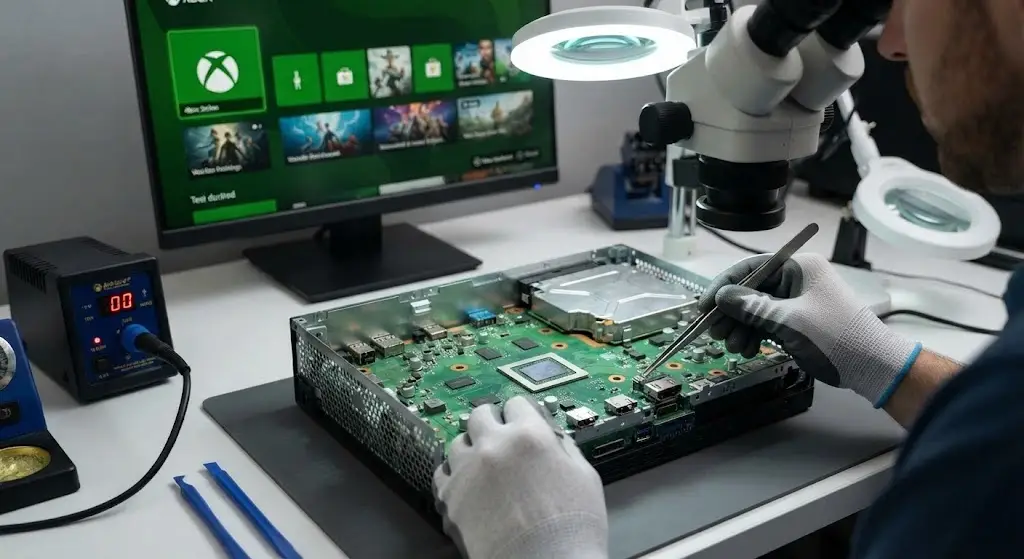
Technician repairing an Xbox console motherboard with micro-soldering equipment for HDMI port replacement.

Professional Xbox HDMI Port Replacement in Doha, Qatar | Bayt Al Tech If your Xbox Series X, Series S, or Xbox One is turning on but displaying a black screen, “no signal” error, or flickering video, you likely have a damaged HDMI port. At Bayt Al Tech, located in Doha, Qatar, we specialize in expert console micro-soldering and HDMI port replacements. Get your gaming setup back to peak 4K performance with fast turnaround times and professional service. Common Signs Your Xbox Needs an HDMI Port Replacement HDMI ports on modern gaming consoles are fragile and prone to wear. Physical stress from pulling cords or tripping over cables can easily bend or break the microscopic pins inside. Watch out for these symptoms: No Video or Audio Output: The console powers on and the LED lights up, but your TV or monitor detects no input signal. Physical Port Damage: Visible bent, broken, or pushed-in pins inside the HDMI socket when inspected closely. Loose HDMI Cable Connection: The cable feels wobbly or loose, and the video signal drops out if the wire is lightly nudged. Intermittent Display: Screen flickers, cuts to black randomly, or only works when the cable is held at a specific angle. Supported Xbox Models We Repair Our expert technicians are equipped with advanced micro-soldering workstations to handle repairs across the entire Xbox generation lineup: Xbox Series X (4K HDMI 2.1 Port Replacement) Xbox Series S Xbox One X Xbox One S Original Xbox One Our Step-by-Step Xbox Repair Process Console motherboard repair requires precision tools and steady hands to avoid damaging surrounding components. Here is how we ensure a factory-grade repair: Diagnostic Inspection: We test your console with alternative high-speed cables and inspect the internal port under high-magnification microscopes to confirm the failure point. Precision Desoldering: Using professional hot-air rework stations, our technicians safely remove the damaged, broken HDMI port from the motherboard without lifting sensitive circuit board traces. Motherboard Pad Cleaning: We clear and prep the solder pads on the board to ensure a clean, stable foundation for the new component. New HDMI Port Installation: We solder a brand-new, heavy-duty replacement port onto the board, reinforcing the anchor points for enhanced physical durability. Stress Testing & Quality Assurance: The console undergoes rigorous testing, outputting stable 1080p and 4K signals at high refresh rates to ensure it runs cool and steady under load. Service Feature Bayt Al Tech Advantage Diagnostic Time Fast evaluation upon drop-off Repair Method Advanced Micro-soldering & Hot-Air Rework Parts Quality Original/ High Grade parts Warranty Backed by our shop quality assurance guarantee Why Choose Bayt Al Tech in Qatar? When your console stops working, you want a repair center that combines technical expertise with transparent, reliable service. Here is why gamers trust us with their hardware: Advanced Micro-Soldering Expertise: HDMI port replacements require delicate motherboard work. Our technicians use professional hot-air rework stations and high-magnification microscopes to ensure precision repairs without damaging surrounding components. Fast Turnaround Times: We know how frustrating it is to be away from your favorite games. We prioritize quick diagnostics and efficient turnaround times so you can get back online fast. Transparent Pricing & Honest Diagnostics: No hidden fees or surprise charges. We inspect your console first and give you a clear, honest breakdown before starting any work. Professional Craftsmanship: From broken pin replacements to board-level trace repairs, our experienced technicians handle your hardware with the utmost care. Quality Assurance Guarantee: Every repair undergoes rigorous stress testing (checking 1080p and 4K output stability) to ensure your console performs reliably under heavy gaming loads. Visit Our Service Center or Contact Us Don’t let a broken port interrupt your gaming sessions. Bring your console to our workshop or reach out to us for quick assistance: Phone / WhatsApp: +97451081008 Email: info@baytaltech.qa Serving All Areas Across Qatar We proudly accept console repairs from clients all over Qatar, including Doha, Al Rayyan, Al Sadd, The Pearl Qatar, Lusail, Al Wakrah, Muaither, Al Gharafa, Madinat Khalifa, Ain Khaled, and surrounding neighborhoods. Frequently Asked Questions About Xbox HDMI Port Repairs / Replacment Q: How long does an Xbox HDMI port repair take? Most HDMI port replacements and micro-soldering repairs are completed efficiently, ensuring you get your console back quickly. Why does my Xbox show a black screen even though it powers on? A black screen or “no signal” error usually indicates a bent, broken, or short-circuited pin inside the HDMI port, often caused by accidental cable pulls or physical strain. Can a broken HDMI port damage the motherboard? Yes, if left unaddressed or if forced incorrectly, a damaged port can lift the delicate solder pads off the motherboard. Our technicians perform precise micro-soldering to ensure a secure, factory-grade fix. Q: Do you test the console after replacing the HDMI port? Absolutely. Every repaired console undergoes rigorous stress testing to guarantee stable 1080p and 4K video output under heavy gaming loads before it is returned to you. Get Your Xbox Back in the Game – Book Your Repair Today Please enable JavaScript in your browser to complete this form.Please enable JavaScript in your browser to complete this form.Name *Contact No *Device Brand & Model *Tell us more if you'd like * Submit
playstation console overheating

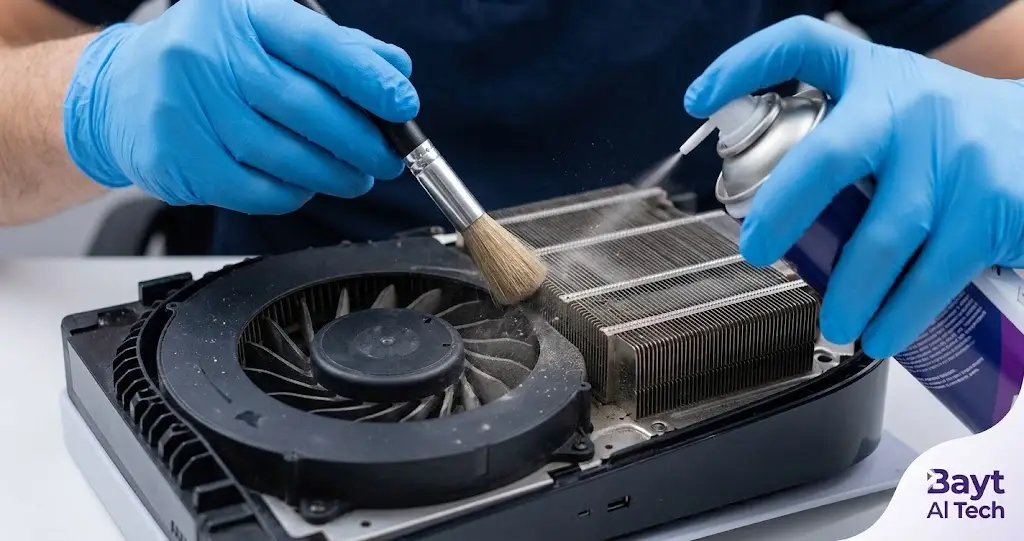
Technician servicing an overheating PlayStation 5 cooling fan and heatsink at Bayt Al Tech repair center in Qatar.

PlayStation Overheating? 5 Fixes & Repair Guide Is your PS5 or PS4 making a noise like a jet engine taking off? Have you seen the dreaded warning message on your screen stating, “Your PS5 is too hot. Turn off your PS5 and wait until the temperature goes down”? Overheating is one of the most frequent issues console gamers face, especially in Qatar’s warm climate. Dust buildup, degraded thermal liquid metal, and poor airflow can quickly cause your console’s cooling system to fail. Left unresolved, extreme heat can lead to permanent hardware failure, motherboard damage, or sudden shutdown loops mid-game. In this guide, we cover the main warning signs, quick prevention tips, and how professional console service at Bayt Al Tech can safely restore your PlayStation. Common Symptoms of an Overheating PS4 or PS5 If your console exhibits any of these symptoms, its internal cooling system needs attention: Loud, Constant Fan Noise: The cooling fan runs continuously at maximum speed attempting to push out trapped heat. On-Screen Temperature Warnings: The system displays automated heat warning prompts to prevent hardware burnout. Random Shutdowns During Gameplay: The console automatically powers off during demanding titles to shield the APU from thermal failure. Frame Rate Drops & Stuttering: Games slow down or stutter as the processor thermally throttles to lower its temperature. Console Exterior Feels Hot to the Touch: While moderate warmth is normal, extreme exterior heat coupled with faint ventilation output indicates restricted airflow. What Causes PlayStation Overheating? Dust & Lint Accumulation: Dust particles clog the heat sinks, cooling fins, and fan blades, locking heat inside the chassis. Degraded Thermal Compound / Liquid Metal: Over time, the thermal transfer material between the processor and heat sink can degrade or shift, causing poor heat dissipation. Restricted Ventilation: Placing the console in enclosed cabinets, tight TV stands, or too close to walls blocks fresh air intake. Fan or Power Supply Faults: Aging internal components or power supply unit (PSU) issues can reduce cooling efficiency. Quick DIY Tips to Keep Your Console Cool Before booking a service, try these quick maintenance steps: Reposition Your Console: Keep at least 4 to 6 inches of open space around all sides of your PS4 or PS5. Avoid carpeted surfaces and closed entertainment units. Clear Outer Vents: Carefully wipe down exterior air intakes using a microfiber cloth or soft brush. Maintain Room Climate: Play in air-conditioned rooms to prevent ambient room temperatures from straining internal cooling fans. Important Note: Avoid disassembling your PS5 at home. The PS5 uses conductive liquid metal for thermal dissipation, which can easily leak onto the motherboard and cause irreversible electrical shorts if handled without specialized technical equipment. Professional PlayStation Repair & Cleaning at Bayt Al Tech When basic surface cleaning isn’t enough, Bayt Al Tech offers specialized gaming console repair and deep cleaning services across Doha, Qatar. Our certified technicians handle complete internal console servicing: Deep Internal De-Dusting: We open the console chassis to safely remove dust from deep within the heat sink channels, power supply vents, and fan blades. Liquid Metal & Thermal Paste Application: Expert replacement and re-leveling of thermal compounds to optimize heat transfer away from your processor. Fan & PSU Replacements: Diagnostic testing and replacement of failing cooling fans or overheating power supply units using quality parts. Convenient Pickup & Delivery: Enjoy quick doorstep pickup and delivery options anywhere in Qatar. Is Your PlayStation Running Hot? Don’t let thermal issues damage your console or disrupt your gaming. Bring your PS4, PS5, or PS5 Pro to Bayt Al Tech for fast diagnostics and expert repair. Got Questions About PlayStation Overheating & Repair in Qatar? How much does PS5 deep cleaning cost in Qatar? Repairs start with a technical inspection to determine whether your console requires basic vent de-dusting, fan replacement, or full thermal liquid metal re-application. We confirm the exact repair price with you after diagnosis before starting any work. How often should I clean my PS5 or PS4 in Qatar? Due to Qatar’s dusty environment and high heat, we recommend having your gaming console internally cleaned and serviced at least once a year to prevent thermal throttling, loud fan noise, and sudden power shutdowns. Can overheating permanently damage my PS5 motherboard? Yes. While the console has safety shut-off protocols to protect the main processor (APU), repeated overheating strains internal components, dries out thermal compounds, and can lead to permanent power supply or motherboard circuit failure. How long does a PlayStation overheating repair take at Bayt Al Tech? Most standard console deep cleans, fan replacements, and thermal liquid metal maintenance are completed within 2 to 4 hours. Complex board-level repairs may take longer depending on diagnostics. Do you offer pickup and delivery across Doha? Yes! We provide convenient doorstep pickup and delivery services for console repairs all across Doha, Qatar.

iphone flickering issue fixed

iphone screen flickering issue

iPhone Screen Flickering: Causes, Solutions & Repair in Qatar iPhone screen flickering can be caused by a software glitch, display settings, a faulty app, physical damage, or a damaged screen. Try restarting the iPhone and updating iOS first. If the flickering continues, the display may need professional inspection or replacement. Why Is My iPhone Screen Flickering?   There are several possible reasons why an iPhone screen may flicker: Temporary iOS or software glitches Display or brightness settings A problematic application Physical damage after a drop or impact Water or moisture damage A faulty or damaged display Problems with a previously replaced screen Internal display or connection issues How to Fix an iPhone Screen That Is Flickering Before considering a screen replacement, try these basic solutions: 1. Restart Your iPhone A simple restart can resolve temporary software glitches that may cause unusual screen behavior. 2. Update iOS Check for available iOS updates and install the latest compatible version. Software updates can resolve certain display-related problems. 3. Check Display Settings Try adjusting brightness and other display settings to see whether the flickering changes. 4. Check Recently Installed Apps If the problem started after installing or updating an application, the app may be contributing to the issue. Try closing or removing it to see whether the flickering stops. 5. Check for Physical Damage If the iPhone was recently dropped, exposed to water, or has a cracked display, the flickering may be caused by hardware damage. When Does an iPhone Screen Need Replacement? If the screen continues to flicker after basic troubleshooting, the problem may be related to the display hardware. Screen replacement may be required when you notice: Continuous screen flickering Green, white, or other colored lines A damaged or cracked display Touchscreen problems along with flickering Flickering after a drop or water exposure Display problems after a previous screen replacement A professional inspection can help identify whether the problem is software-related or whether the display needs to be repaired or replaced. iPhone Screen Replacement in Qatar If your iPhone screen is persistently flickering or has visible damage, Bayt Al Tech provides iPhone screen repair and replacement services in Qatar. Our technicians can inspect the device, identify the likely cause of the display problem, and recommend the appropriate repair. Whether you have a cracked screen, display flickering, touch problems, or other screen-related issues, professional diagnosis can help prevent unnecessary repairs. Need iPhone Screen Replacement? If your iPhone screen continues to flicker and troubleshooting has not solved the problem, learn more about our iPhone Screen Replacement service or contact Bayt Al Tech to discuss your repair.

iphone 18 series models

iPhone 18: Expected Models, Colors, Release Date, Prices & Features (2026 Guide) Disclaimer: Apple has not officially announced the iPhone 18 lineup yet. The information below is based on industry reports, analyst predictions, and supply-chain leaks available as of June 2026. iPhone 18: What We Know So Far Apple’s upcoming iPhone 18 series is generating significant excitement among Apple fans worldwide. According to multiple reports, Apple may introduce a new launch strategy for the iPhone 18 lineup, potentially separating the release of Pro and standard models for the first time. For users in Qatar and around the world, the iPhone 18 series is expected to deliver faster performance, improved battery life, enhanced AI capabilities, and exciting new color options. Expected iPhone 18 Models Rumors suggest Apple could launch: iPhone 18 iPhone 18e iPhone 18 Pro iPhone 18 Pro Max iPhone Fold (Apple’s first foldable iPhone) The Pro models are expected to launch first, while the standard iPhone 18 and iPhone 18e may arrive several months later. Expected Release Date According to recent reports: September 2026 iPhone 18 Pro iPhone 18 Pro Max iPhone Fold Spring 2027 iPhone 18 iPhone 18e This would be the biggest change to Apple’s iPhone launch schedule in years. Expected Pre-Order Date f Apple follows its usual schedule for Pro models: Announcement: Early September 2026 Pre-orders: Within a few days of announcement Availability: Approximately one week after pre-orders begin The standard iPhone 18 and iPhone 18e could follow a similar pattern during Spring 2027. Rumored iPhone 18 Colors iPhone 18 Pro & Pro Max Leaked color options include: Dark Cherry (new signature color) Light Blue Dark Gray Silver Among these, Dark Cherry is attracting the most attention and could become Apple’s headline color for 2026. Expected Features A20 Chip Apple is expected to introduce the new 2nm A20 processor, delivering better performance and battery efficiency. Smaller Dynamic Island Reports suggest Apple may reduce the size of the Dynamic Island on Pro models. More RAM The iPhone 18 series could feature up to 12GB RAM for improved Apple Intelligence and multitasking performance. Better Battery Life Improved power efficiency and larger batteries are expected across the lineup. Expected iPhone 18 Prices Since Apple has not confirmed pricing, these are estimated starting prices: Model Expected Price (USD) iPhone 18e $599 – $699 iPhone 18 $799 – $899 iPhone 18 Pro $999 – $1,099 iPhone 18 Pro Max $1,199 – $1,299 iPhone Fold $1,999+ Prices may vary by region and storage configuration. Should You Wait for the iPhone 18? If you currently own an older iPhone such as the iPhone 13, iPhone 14, or earlier, the iPhone 18 series could offer substantial improvements in performance, battery life, AI features, and camera technology. However, users with newer devices may find the upgrades more incremental. Need iPhone Repair in Qatar? While waiting for the iPhone 18, keep your current iPhone in excellent condition with professional repair services from Bayt Al Tech. Whether you need iPhone screen replacement, battery replacement, charging port repair, or diagnostics, our Apple experts are ready to help.

mobile repair shop

Professional iPhone fixing shop near me with expert repair technician

Best Mobile Repair Shop in Qatar Trusted iPhone Fixing Shop Near You Smartphones have become an essential part of daily life for communication, business, entertainment, and work. When your device gets damaged, finding a trusted mobile repair shop becomes important to avoid further issues and protect your data. If you are searching for a reliable mobile repair shop in Qatar, Bayt Al Tech provides professional smartphone and iPhone repair services with quality workmanship and genuine parts. Whether your phone has a cracked screen, battery issue, charging problem, camera malfunction, or water damage, professional repair services can help restore your device quickly and safely. Customers from Doha, Muaither, and nearby areas including Al Wakrah trust Bayt Al Tech for reliable mobile phone repairs and Apple device services. Why Choosing the Right Mobile Repair Shop Matters Not every repair center provides the same level of quality and expertise. A professional mobile repair shop in Qatar should use proper repair tools, experienced technicians, and high-quality parts to ensure long-lasting performance. At Bayt Al Tech, we focus on: Genuine and high-quality parts Professional diagnostics Careful device handling Fast repair services Customer satisfaction Apple-specialized repairs Using low-quality replacement parts can lead to display issues, battery problems, overheating, or poor device performance. Choosing a trusted repair center helps protect your smartphone investment. Professional iPhone Fixing Shop Near Me Many users search online for an iPhone fixing shop near me when they experience sudden device problems. iPhones require specialized repair knowledge because Apple devices use advanced hardware and software systems. Bayt Al Tech specializes in iPhone repair services including: iPhone screen replacement iPhone battery replacement iPhone back glass repair Face ID troubleshooting Charging port repair Camera repair Water damage repair Speaker and microphone repair If you are looking for a trusted iPhone fixing shop near me, professional repair services can help restore your iPhone safely while maintaining its performance and reliability.   Mobile Repair Shop Near Al Wakrah Customers searching for a mobile repair shop near Al Wakrah often look for reliable service, fast turnaround time, and experienced technicians. Finding a dependable repair center nearby can save time and reduce the stress of dealing with smartphone issues. Bayt Al Tech serves customers from Al Wakrah and across Qatar with professional mobile repair solutions. From simple screen replacements to advanced motherboard repairs, our technicians work carefully to diagnose and repair devices efficiently. Why Bayt Al Tech is a Trusted Mobile Repair Shop in Qatar Bayt Al Tech has become a trusted name for smartphone and Apple device repairs in Qatar. Our goal is to provide high-quality repairs, professional customer service, and reliable repair solutions for customers across Doha and nearby areas. Customers choose Bayt Al Tech because we offer: Apple-specialized repair services Genuine and quality replacement parts Warranty support Skilled repair technicians Professional customer service Convenient repair solutions Whether you need a simple battery replacement or advanced iPhone repair, our team focuses on delivering quality results. F.A.Q. Mobile Repair Shop FAQ – Bayt Al Tech Qatar Where can I find a trusted mobile repair shop in Qatar? Bayt Al Tech provides professional smartphone and iPhone repair services for customers across Qatar. Do you provide iPhone repair services near Al Wakrah? Yes, Bayt Al Tech serves customers from Al Wakrah and nearby areas with professional iPhone and smartphone repair solutions.   Why should I choose a professional iPhone fixing shop near me? Professional repair centers use proper tools, experienced technicians, and quality parts to ensure safer and more reliable repairs. Do you use genuine parts? Bayt Al Tech focuses on high-quality and genuine parts for Apple device repairs and smartphone services.