
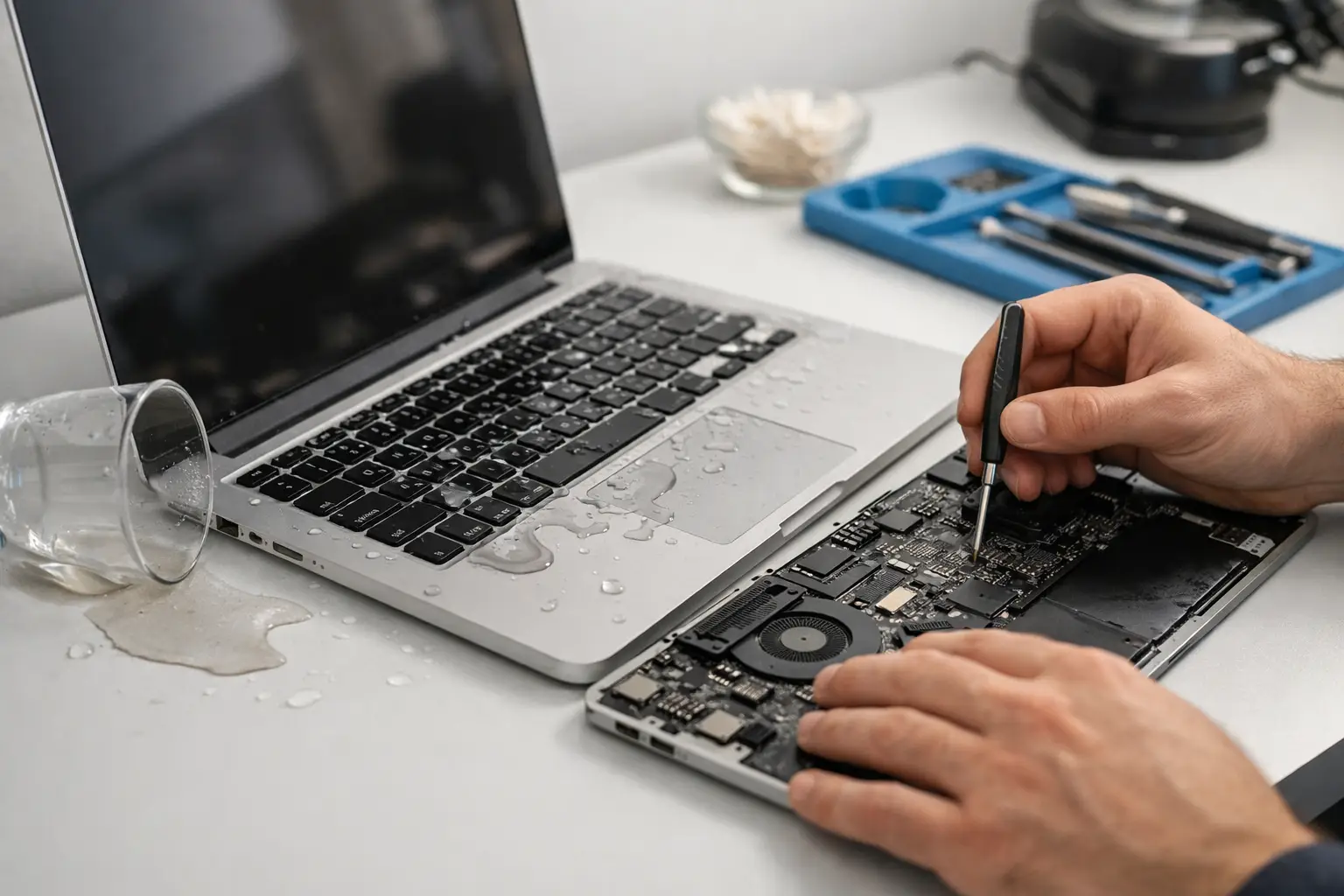
A spilled coffee next to your MacBook can turn into a dead keyboard, a flickering screen, or a motherboard failure in less time than it takes to panic. This macbook liquid damage repair guide is built for that exact moment – when you need clear action fast, not vague advice.
What to do in the first 5 minutes
Speed matters more than almost anything else. The longer liquid sits inside a MacBook, the more chance it has to corrode components, short the board, and damage connectors that were perfectly fine right after the spill.
First, power the MacBook off immediately. If it is already off, leave it off. Do not press extra keys to check what still works. Do not plug in the charger. Electricity plus liquid is where minor damage often becomes serious board damage.
Next, disconnect every accessory. Remove chargers, USB devices, headphones, memory cards, and anything else attached to the ports. Then place the MacBook on a flat surface with the keyboard angled downward slightly so excess liquid can drain away from the logic board instead of deeper into it.
If the spill is on the keyboard, gently blot visible liquid with a soft lint-free cloth. Focus on absorbing, not spreading. Avoid shaking the device aggressively because that can push liquid further inside.
What not to do after a spill
A good macbook liquid damage repair guide should be honest about the mistakes that ruin repair chances. The biggest one is turning the device back on “just to test it.” A MacBook can appear fine for a few minutes and still fail later because corrosion keeps working after the spill.
Skip the rice trick. Rice does not remove liquid from under chips, shields, or connectors. It also creates false confidence, which delays real cleaning and inspection.
Do not use a hair dryer or direct heat. High heat can warp components, damage the battery, and push moisture into places where it is harder to remove. Also avoid spraying random cleaners into the keyboard or ports. If the liquid was sugary, acidic, or sticky, improper cleaning often makes the residue problem worse.
Why some spills are worse than others
Not all liquid damage is equal. Water is serious, but sugary drinks, coffee, tea, soda, juice, and anything with salt or milk are usually more destructive. That is because residue stays behind even after the moisture dries, and that residue continues to interfere with circuits and connectors.
The amount of liquid matters too, but placement matters just as much. A small spill directly over the keyboard can be worse than a larger spill on the outer case if it reaches the logic board, battery, trackpad assembly, or display cable area.
Timing also changes the outcome. If a MacBook is shut down right away and opened for proper internal cleaning quickly, repair success is often much better. If it keeps running for hours, charges overnight, or sits with sticky liquid inside, the repair gets more complex and more expensive.
Common signs of liquid damage
Some MacBooks fail immediately. Others develop symptoms over the next few days. That delayed failure catches many people off guard.
Typical warning signs include keys typing on their own, a trackpad that clicks inconsistently, no power, battery not charging, random shutdowns, fan spinning loudly, screen lines, backlight issues, or ports that stop responding. In some cases, the device boots normally but overheats or drains battery unusually fast. That can still point to hidden board damage.
A liquid-damaged MacBook may also have corrosion around connectors, discoloration on the logic board, or a sweet or burnt smell inside. Those are not surface-level issues. They usually mean the machine needs internal inspection, not just external drying.
Can you repair a liquid-damaged MacBook yourself?
It depends on the spill, the model, and your technical skill. If you have the right tools, experience opening MacBooks, and know how to disconnect the battery safely, you might be able to inspect for obvious moisture and residue. But most MacBook liquid repairs are not simple DIY jobs.
Modern MacBooks are tightly packed. Accessing the internals without causing extra damage takes care. The battery, keyboard layers, display connectors, and board components are all vulnerable. One wrong move can tear a cable, puncture a battery, or turn a repairable issue into a replacement job.
There is also the cleaning problem. Proper liquid damage repair is not just “letting it dry.” It often involves internal disassembly, inspection under magnification, residue removal, corrosion treatment, testing for shorted lines, and checking whether parts like the keyboard, battery, trackpad, or logic board need replacement or board-level repair.
What professional liquid damage repair usually includes
When done properly, repair starts with opening the MacBook and disconnecting power internally. From there, the technician checks how far the liquid spread and whether corrosion has started.
In many cases, internal cleaning is the first step. If the liquid was plain water and the spill was caught quickly, cleaning alone may save the machine. If the liquid was sugary or the MacBook stayed on after the spill, there may be damage to multiple areas.
A professional repair may include keyboard replacement, trackpad replacement, battery replacement, screen repair, port repair, or motherboard repair depending on what failed. Board-level work is often the deciding factor between saving a valuable MacBook and replacing it entirely. That is why fast diagnosis matters. Waiting can turn a cleanable board into a corroded one with missing pads and damaged chips.
Data recovery matters just as much as the repair
For many users, the real emergency is not the MacBook itself. It is the files on it. Work documents, photos, study materials, client projects, and personal data can be more valuable than the hardware.
That is why a repair plan should consider data recovery early, especially if the MacBook will not power on. Sometimes a technician can stabilize the board long enough to recover data even if full repair is not cost-effective. In other cases, the machine can be fully repaired and the data remains untouched. The right path depends on the model and the extent of the damage.
If your MacBook contains important files, say that upfront when booking service. It changes priorities and helps avoid risky trial-and-error at home.
How much repair costs can vary
Liquid damage pricing is rarely one-size-fits-all. A minor internal cleaning and small component fix is very different from a heavily corroded logic board repair. The model also matters because part availability and board design change the repair difficulty.
What you should watch for is clear diagnosis, genuine parts where replacement is needed, and realistic expectations. No honest technician can promise every liquid-damaged MacBook is fully recoverable. The right service will explain what is damaged, what can be repaired, and whether the cost makes sense compared to replacement.
When to book expert help immediately
If the MacBook was on during the spill, if the liquid was anything other than water, if you notice heat, smell, charging issues, display problems, or random shutdowns, do not wait. These are strong signs the damage is inside and active.
The same applies if you rely on the device for work or school and cannot afford a longer outage. Fast service is not just about convenience. It can directly improve repair chances and reduce the final cost by stopping corrosion early.
For customers who need quick support without extra travel stress, Bayt Al Tech handles MacBook liquid damage with trained technicians, fast response, and convenient service designed around your schedule.
How to protect your MacBook after repair
Even after a successful repair, prevention is worth taking seriously. Keep drinks away from your desk setup, use a stable bottle or cup with a lid, and avoid charging or working on soft surfaces where spills can pool unnoticed. If you travel often, a protective sleeve helps, but habits matter more than accessories.
Backups matter too. Liquid damage is unpredictable, and the best time to think about data protection is before an accident. A current backup turns a crisis into an inconvenience instead of a disaster.
A MacBook spill feels urgent because it is. The best move is simple – shut it down, keep it off, and get it inspected before hidden damage spreads. Fast action gives your device the best chance, and it gives you the best shot at keeping your files, your time, and your routine intact.


